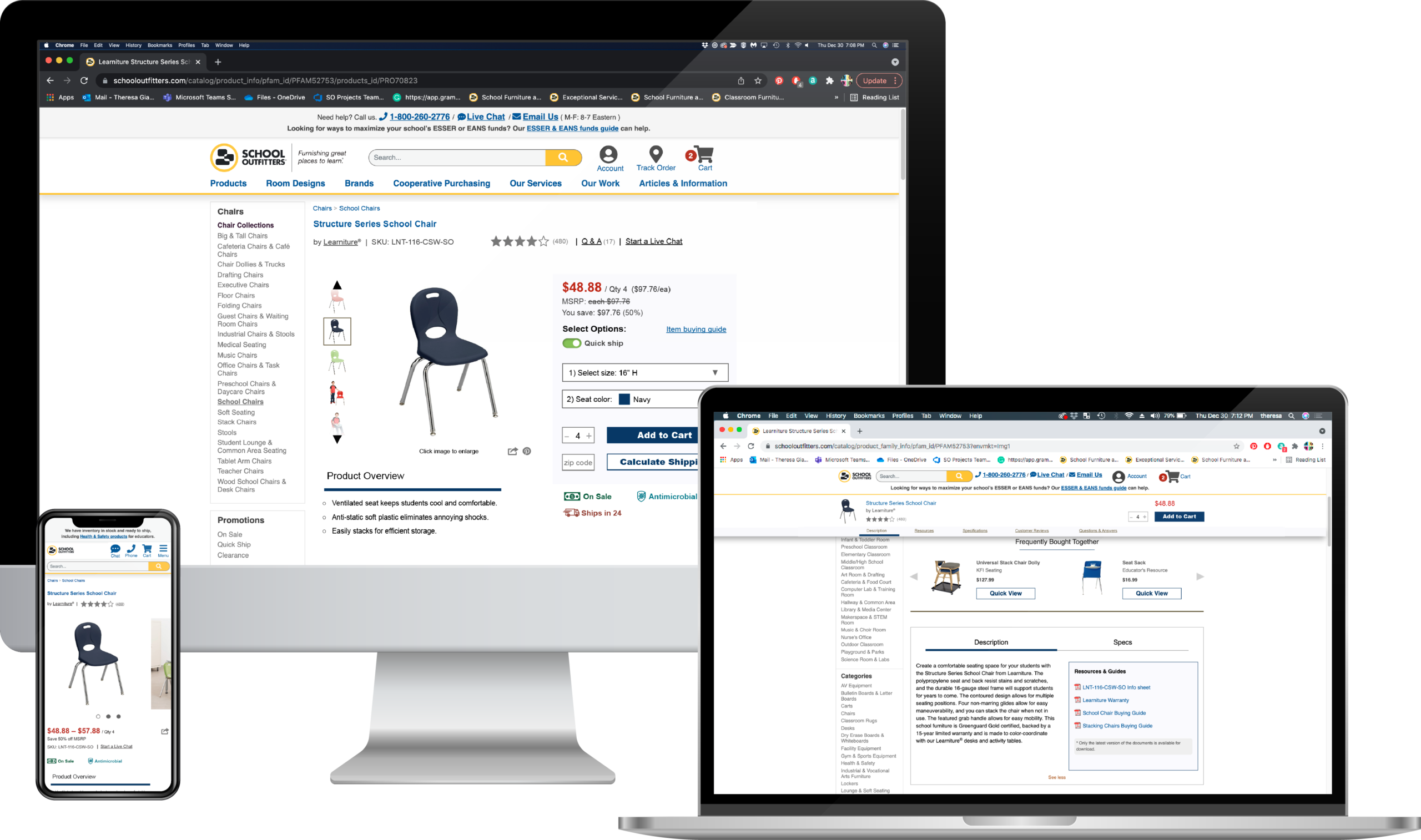
E-commerce website | Family & PDP
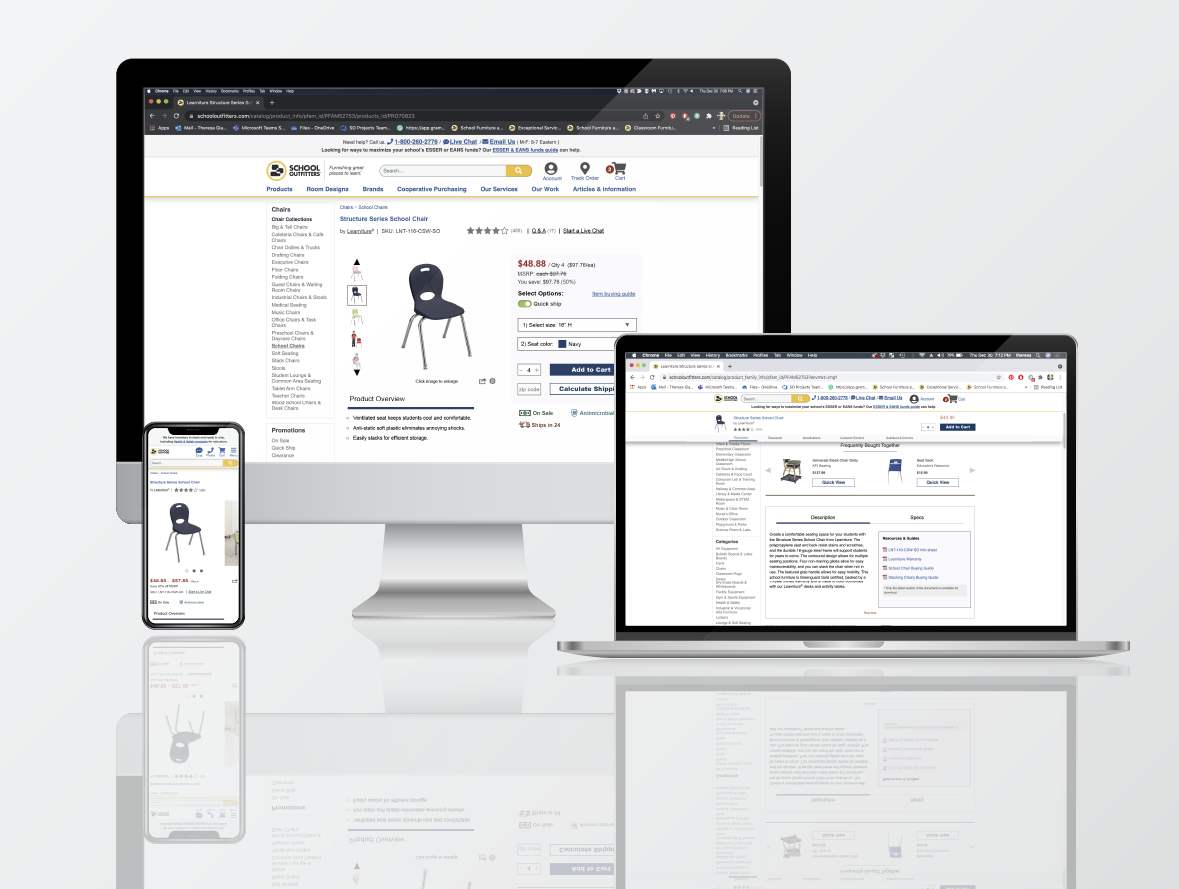
OBJECTIVE
Overhaul Product Detail Pages
Modernize the family and product detail pages by designing a clean, logical layout complete with enhanced functionality to guide the user through the purchasing decision cycle with ease.
CHALLENGES
- Implementing a new layout and creating new interface widgets that are a drastic departure from the previous design.
- Organizing a wealth of pertinent product information into easily accessible (and shareable) ‘chunks’.
- Creating a sprint schedule in a waterfall environment to ensure a non-disruptive customer experience.
- A/B testing every phase of the project.
- Reprioritizing enhanced product page features for future versions of this page (Quick Ship options toggle and Add to Favorites for account holders).
- Working within the limitations of the proprietary content management system and third-party e-commerce tools.
ACHIEVEMENTS
- Implemented accordion menus, modal fly-outs on responsive, dynamic CTA buttons, and a sticky Table of Contents on desktop.
- Improved design and placement of cross-sell widgets.
- Repositioned the product resources and guides section (warranties, buying guides, info sheets, compliance information, and assembly instructions). This section is now visible on the main level of the page, as well as accessible through the sticky Table of Contents.
- Added an Accessories Quick View widget that allows customers to view and choose product accessories without leaving the page.
- Drastically higher engagement rate and web sales with each phase brought into Production.
PROCESS
Utilized design thinking to get to the root of any barriers customers may have while making an informed purchase.
By combining data-driven user research, UX and e-commerce best practices, along with creative problem-solving, we were able to deliver an elegant, streamlined solution to our high-traffic family and product pages.
Empathize & Define
- Identify customer pain points based on analytics reports, sales information, heat maps, user feedback, and other data.
- Determine where users get stuck or experience cognitive overload.
Ideate
- Using defined best practices and user feedback to guide the user through the decision-making process.
- Getting creative and generating possible solutions through brainstorming, sketching, role-playing, developing moodboards, and revisiting previously ideated material.
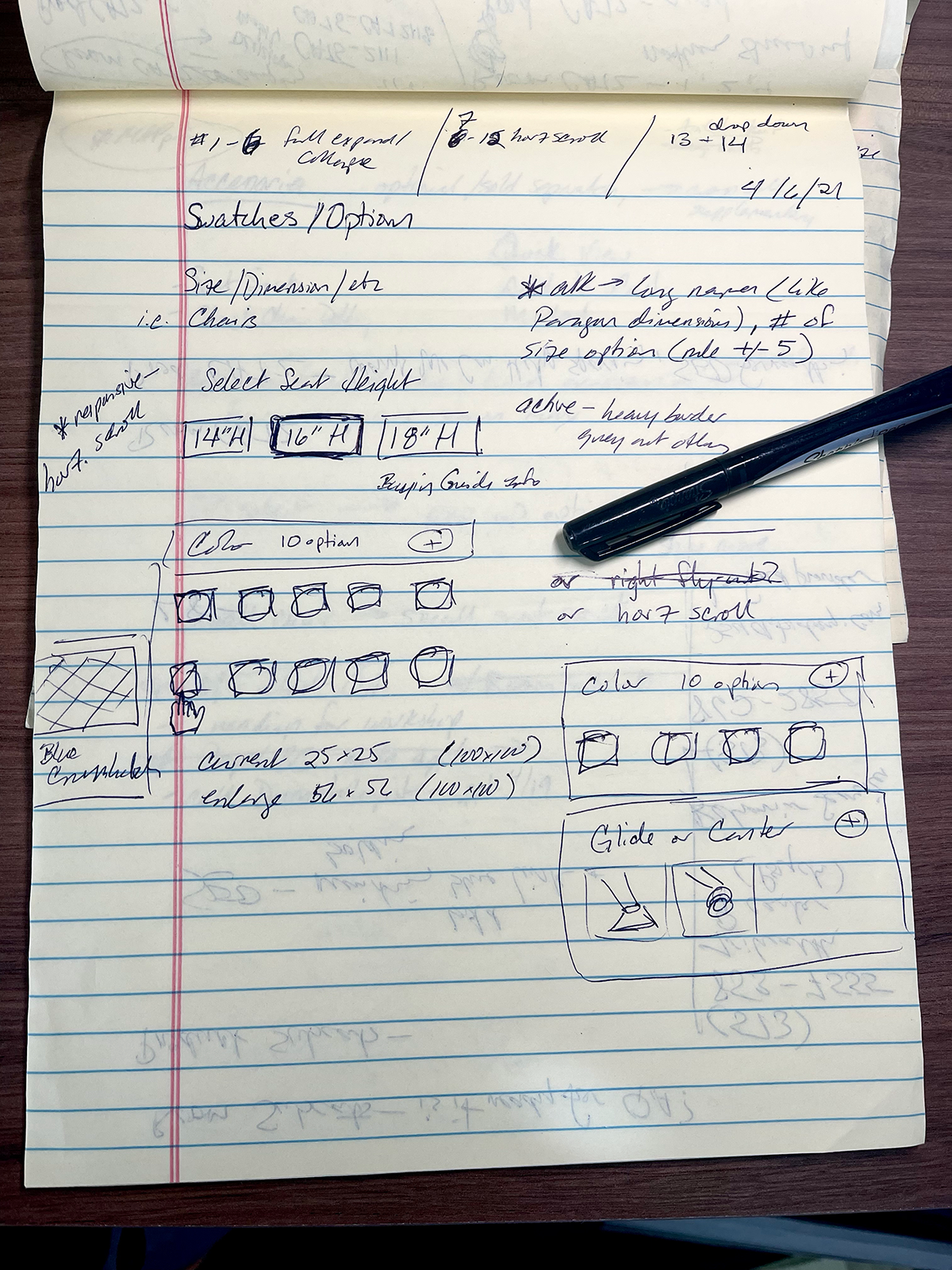
Family and Product Detail Pages | Desktop swatch menu sketches
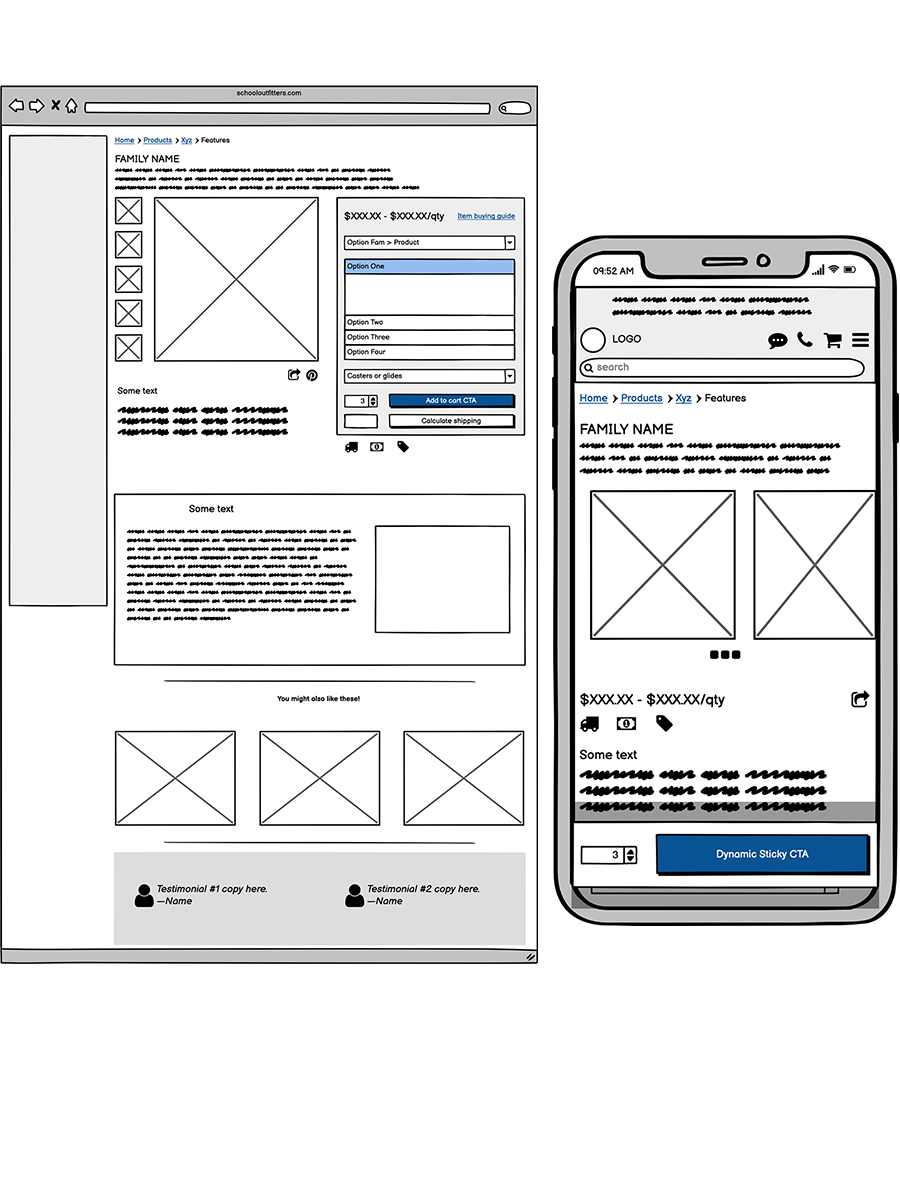
Family and Product Detail Pages | Desktop and responsive wireframes
Prototyping
- Create multiple wireframe concepts illustrating the user click-through path with the more intuitive component structure.
- Deliver low-fi prototypes to the team.
- Run concepts through user-testing.
- Refine prototypes with feedback from team members and stakeholders.
- Review and edit each phase’s acceptance criteria in Azure DevOps.
- Handoff all finalized assets and meticulously annotated redline specs for desktop and mobile to our remote development team.
- Address any areas that need further clarification.
Test
- Test through each phase as it becomes available in QA; document any issues with supporting screenshots showing possible fix in code.
- Test all updates in the Staging environment.
- Discuss the results of A/B testing with the analytics team and stakeholders; design decisions are then validated or updated based on user behavior.
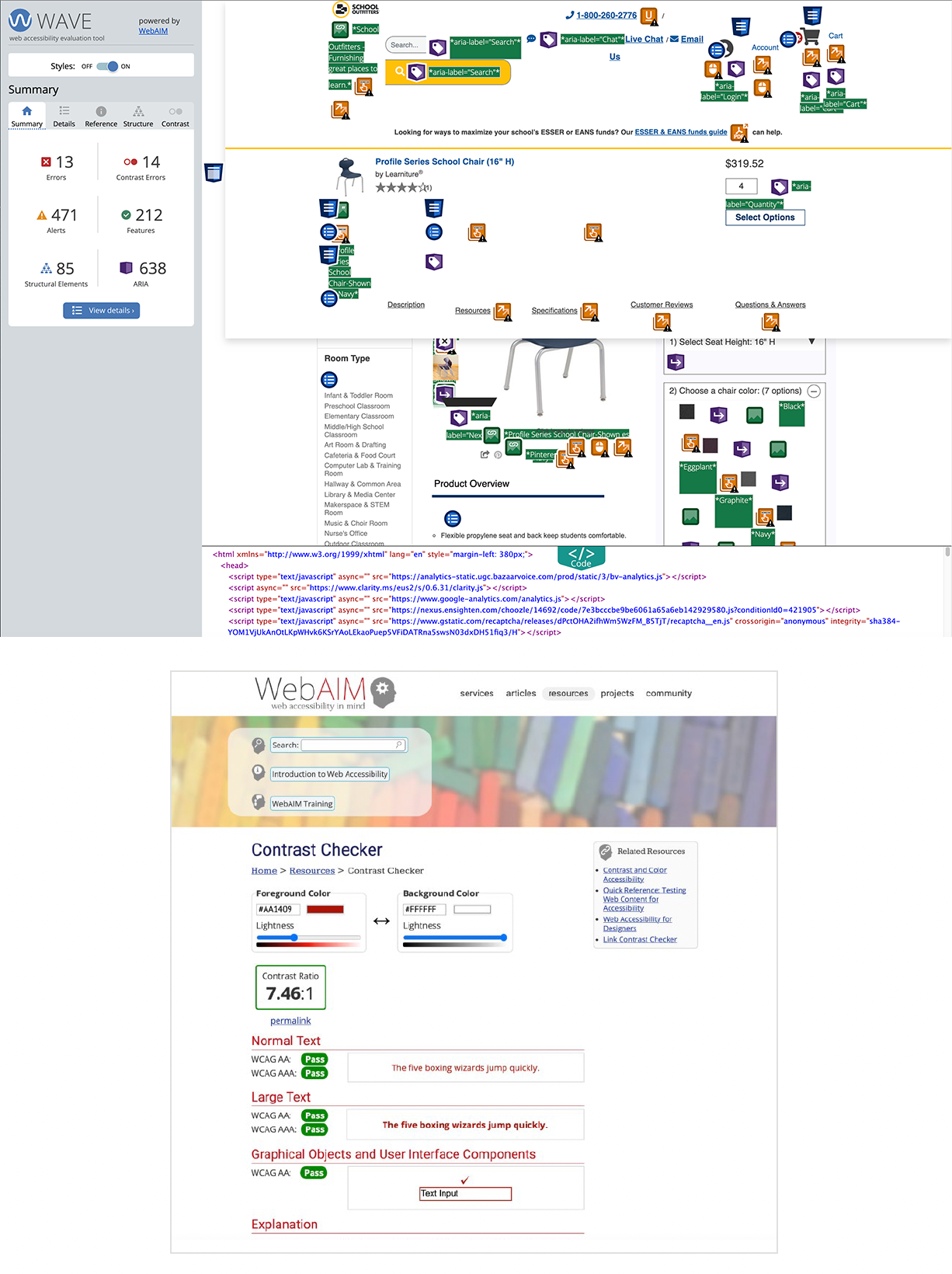
Family and Product Detail Pages | WCAG compliance testing sample
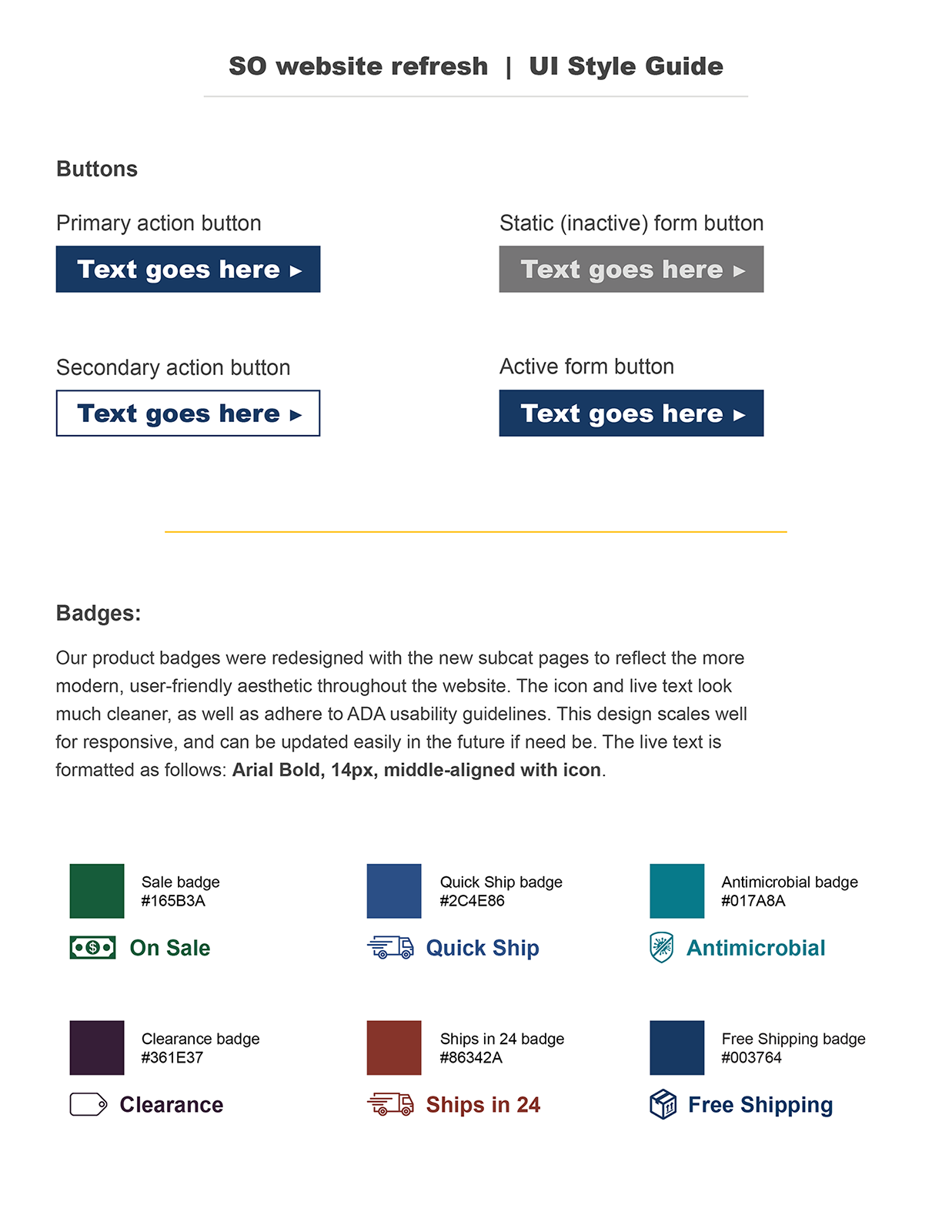
Family and Product Detail Pages | UI style guide sample
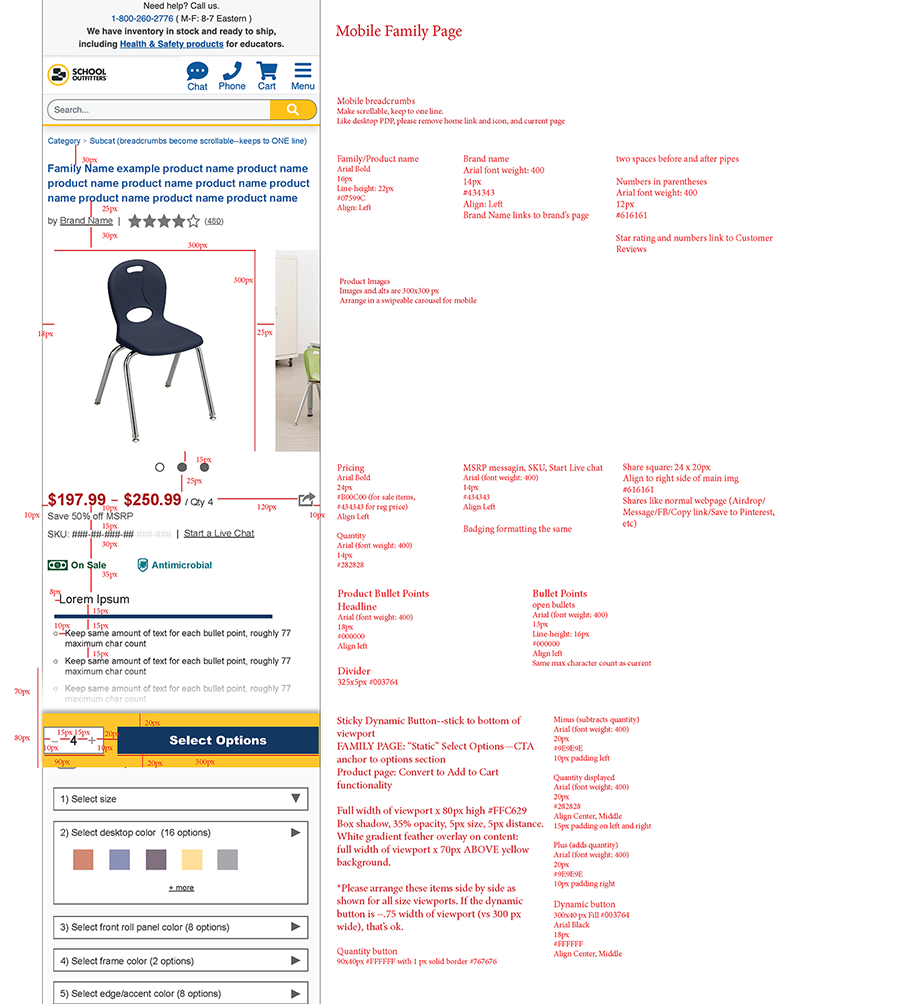
Family and Product Detail Pages | Responsive redlines
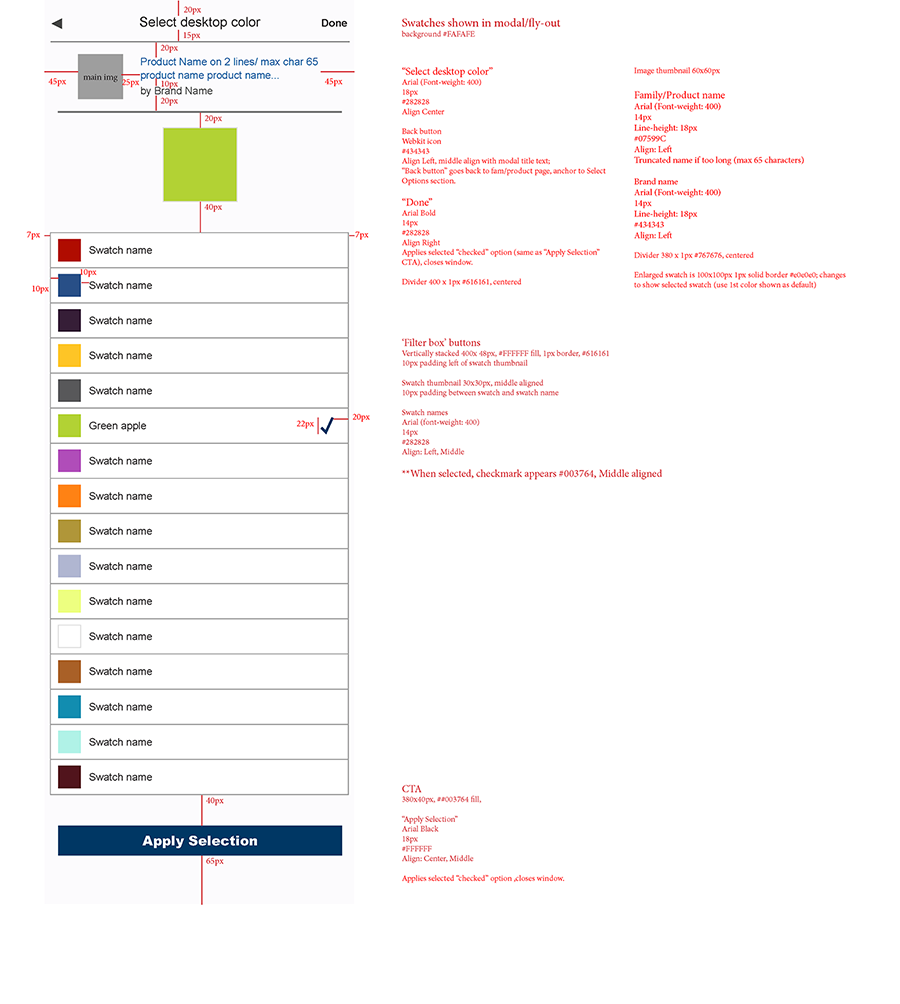
Family and Product Detail Pages | Responsive flyout modal redlines